A production schedule can look orderly and still be impossible to run. The dates may fit neatly in a spreadsheet, but the same welder is assigned to two jobs, a fixture is unavailable, material has not arrived, or a downstream inspection step has no room for the work being released.
Realistic manufacturing scheduling starts with a different question. Instead of asking when a job should run, ask when it can run given the actual capacity, dependencies, and priorities in the plant. That shift turns a static production timeline into an operating commitment the shop floor can execute.
This guide explains how small and midsize manufacturers can build that commitment. It covers the difference between planning and scheduling, the data required for finite-capacity scheduling, a repeatable scheduling process, a worked example, daily control rules, useful metrics, and the point at which spreadsheets or ERP dates need help from APS or MES software.
what manufacturing scheduling actually means
Manufacturing scheduling is the process of assigning production work to specific resources and time periods in an executable sequence. A useful schedule answers five questions: what should run, on which resource, with which people and materials, in what order, and by when.
That is narrower than production planning. Planning translates demand into required work over a longer horizon. Capacity planning compares the work required with the capacity available. Detailed scheduling assigns operations to resources and time. Dispatching tells the floor what to run next. The ASCM Supply Chain Dictionary similarly describes capacity planning as determining future capacity requirements and capacity control as comparing output with the plan and taking corrective action.
|
decision layer
|
primary question
|
typical horizon
|
useful output
|
|
production planning
|
what must we make or buy?
|
months to weeks
|
production plan and planned orders
|
|
capacity planning
|
do we have enough capability?
|
months to days
|
load by work center and capacity gaps
|
|
detailed scheduling
|
exactly when and where will operations run?
|
weeks to hours
|
resource schedule and operation sequence
|
|
dispatching and control
|
what should run next, and what has changed?
|
shift to minute
|
dispatch list, alerts, and recovery actions
|
why static production timelines fail
A static timeline is usually built from due dates and standard lead times. It may know that an order needs three days, but it does not necessarily know whether the required machine, operator, tool, material, or inspection resource is available during those three days. The result is an infinite-capacity promise in a finite-capacity plant.
In Microsoft’s finite-capacity planning guidance, work is moved to a later date when a resource lacks capacity. That is the essential behavior of a realistic schedule: it reveals a conflict rather than hiding it in overlapping bars.
Static schedules also fail for operational reasons:
-
Run times are based on estimates that have not been compared with demonstrated performance.
-
Setup, queue, move, inspection, and outside-processing time are missing or buried in one lead-time value.
-
Shift calendars ignore breaks, planned maintenance, training, holidays, or known absenteeism.
-
Jobs are released before material, drawings, programs, tooling, or approvals are ready.
-
Every late order is given top priority, so priorities change faster than the floor can execute them.
-
Actual starts, completions, scrap, rework, and downtime return too slowly to keep the schedule current.
The problem is not the Gantt chart itself. A Gantt view can be valuable. The problem is treating a picture of intended dates as proof that the underlying resource plan is feasible.
finite capacity versus infinite capacity scheduling
Infinite-capacity scheduling assumes that work can be placed whenever demand requires it, even when that overloads a resource. It is useful for exposing how much capacity demand would require, especially in rough-cut planning. It is not an executable promise.
Finite-capacity scheduling prevents a resource from being loaded beyond its available time. It considers existing reservations and places the operation in the next feasible slot. A strong schedule can also treat materials, skills, fixtures, tooling, quality resources, and outside services as finite constraints.
|
approach
|
what it assumes
|
best use
|
main limitation
|
|
infinite capacity
|
resources can absorb all assigned load
|
longer-range demand and capacity analysis
|
can overlap jobs and produce impossible dates
|
|
finite capacity
|
resource availability limits when work can run
|
detailed, executable scheduling
|
quality depends on accurate calendars, routings, and status data
|
|
hybrid
|
rough-cut planning is broad, near-term scheduling is constrained
|
SMBs that need detail at bottlenecks first
|
requires clear rules for which resources are finite
|
For many small and midsize manufacturers, the hybrid approach is the practical starting point. Apply finite capacity to the true constraints and the near-term scheduling window. Use broader assumptions farther out, where order details and labor availability are less certain.
the data a realistic schedule needs
Scheduling software cannot compensate for missing operating facts. Start with a minimum viable data set, then improve it from actual production history.
Demand and priority. Customer due dates, required quantities, service commitments, order dependencies, and a documented rule for resolving conflicts.
Routings. The ordered operations required to make the part, including approved alternate paths and outside processes.
Operation times. Setup, run time by quantity, queue, move, inspection, and expected yield or rework where relevant.
Resource calendars. Working shifts, breaks, maintenance, holidays, overtime, and resource-specific availability.
Resource capabilities. Which machines, work centers, employees, skills, tools, fixtures, and quality resources can perform each operation.
Material readiness. On-hand quantity, allocations, expected receipts, lot or serial requirements, and the operation at which each item is needed.
Current status. Actual starts and completions, remaining quantity or time, downtime, holds, scrap, and rework.
use demonstrated capacity, not nameplate capacity
An eight-hour shift does not create eight schedulable machine hours. Breaks, planned maintenance, changeovers, expected losses, and staffing limits reduce what can be promised. Use recent demonstrated performance for the product mix and resource, then review exceptions instead of assuming the best observed rate is normal.
A simple starting formula is: available capacity = calendar time minus planned unavailability, adjusted by a demonstrated performance factor.
For example, a work center with 80 calendar hours next week, 6 hours of planned downtime, and a demonstrated factor of 85 percent has about 62.9 schedulable hours: (80 - 6) × 0.85. Keep the inputs visible. A single unexplained efficiency percentage can hide chronic downtime, speed loss, scrap, or labor gaps that should be managed separately.
Microsoft’s job-scheduling documentation illustrates the same principle by adjusting reserved scheduling time for resource efficiency and by using calendars to control capacity.
how to build a realistic manufacturing schedule
1. Establish one demand list and one priority rule
Combine released orders, firm planned orders, rework, maintenance work, prototypes, and other capacity consumers into one visible queue. Separate true commitments from forecasts. Then choose a primary sequencing rule such as earliest due date, critical ratio, customer class, or constraint-based priority.
The rule does not need to be mathematically perfect. It must be understood, consistently applied, and overrideable only by an identified decision owner. A schedule cannot remain stable when every department can independently create a new number-one job.
2. Validate routings and operation dependencies
Confirm that each job has the correct operation sequence, quantities, setup and run standards, alternate resources, overlap rules, and subcontract steps. For engineered products, make sure the released revision, work instructions, CNC program, tooling, and inspection plan match the routing.
Do not force false precision. If a new product has uncertain run time, use a stated estimate and protect the affected resource with a visible buffer. Replace the estimate after the first runs produce evidence.
3. Build honest calendars for constrained resources
Create calendars for machines, work centers, labor pools, critical skills, tools, fixtures, ovens, test equipment, and inspection when they can delay flow. Record known maintenance, training, shutdowns, and overtime. Avoid one plant-wide calendar when resources have materially different availability.
Start with the few resources that govern delivery. A complete model of every screwdriver is unnecessary. A missing calendar for the only certified welder or coordinate measuring machine is not.
4. Calculate load and expose the constraint
Convert each operation into required resource hours, place those hours into time buckets, and compare required load with available capacity. Review both total load and timing. A work center can have enough hours for the month and still be overloaded on the two days that determine a customer delivery.
For each resource and period: load percentage = required hours ÷ available hours × 100.
Treat load above 100 percent as a decision, not a formatting problem. Move work, add approved capacity, change the route, split the quantity, subcontract, or renegotiate the date. Do not stack overlapping operations and call the schedule complete.
5. Constrain the schedule with material and supporting resources
Capacity alone is not enough. Finite-material scheduling delays an operation until required components are available. Apply the same logic to tooling, fixtures, skills, inspection, programs, and outside processing. A job is ready only when the resources required at that operation are ready.
This is where many spreadsheet schedules break down. They track the machine bar but not the reasons the machine cannot start. A concise readiness status, such as ready, at risk, or blocked, can be more useful than adding dozens of columns no one maintains.
6. Choose forward or backward scheduling deliberately
Forward scheduling starts work at the earliest feasible time. Backward scheduling starts from the required completion date and calculates the latest feasible start. Both are established methods.
Forward scheduling is useful for estimating the earliest completion date, recovering late work, or filling available capacity. Backward scheduling can reduce early WIP and align work with the due date, but it leaves less room for disruption. Many shops plan backward from the customer need date, then protect critical operations with controlled buffers and verify feasibility by scheduling forward from current conditions.
7. Sequence work at the constraint, then protect flow
The sequence at the bottleneck often determines the performance of the entire schedule. Consider due dates, setup families, changeover time, material readiness, downstream capacity, and the cost of interruption. Minimizing every changeover can create large batches, long queues, and late mixed demand.
Production leveling offers another perspective. The Lean Enterprise Institute’s heijunka guide explains how leveling product type and quantity can reduce the unevenness and excess WIP associated with batch-and-queue production. It is most useful when demand and processes support a repeatable pattern. High-mix, engineered-to-order shops may need more dynamic sequencing.
Protect the constraint from starvation with material and upstream readiness. Protect downstream operations from uncontrolled release by limiting WIP. The goal is not to keep every resource busy. It is to complete the right orders reliably.
8. Simulate, release, and control the schedule
Before releasing a schedule, test plausible disruptions: a rush order, a machine outage, a supplier delay, an operator absence, or a quality hold. Compare the impact on due dates, constraint load, WIP, overtime, and subcontracting. Choose the tradeoff consciously.
Release only the work the floor can reasonably execute. Use a short frozen window for work that should not change without approval, a flexible middle window for controlled adjustments, and a longer planning window for scenario analysis. The exact horizons depend on lead time, product mix, and volatility.
a worked finite-capacity scheduling example
Consider a small engineered-parts shop with one constrained machining cell. Three jobs are ready. The cell has 6 demonstrated hours available Monday, 7 Tuesday, and 7 Wednesday after planned losses. Each job also needs downstream finishing and inspection time before shipment.
|
job
|
due date
|
constraint hours
|
downstream time
|
material status
|
|
C, rework lot
|
Tuesday
|
2
|
2 hours
|
ready
|
|
B, bracket lot
|
Wednesday
|
5
|
4 hours
|
ready
|
|
A, pump frames
|
Thursday
|
8
|
6 hours
|
ready
|
A static schedule might start the largest or highest-value job, A, on Monday and place B and C behind it. That fills the machining cell but risks the Tuesday and Wednesday commitments. A finite schedule that considers due dates and downstream time starts C Monday morning, runs B next, and then schedules A across the remaining Tuesday and Wednesday capacity. The jobs do not overlap on the constrained cell, and the downstream work has time to finish.
Now assume B’s material will arrive Tuesday afternoon. The schedule should not leave Monday capacity reserved for a job that cannot start. It can advance part of A, move an alternate ready job into the opening, or show the idle risk while purchasing evaluates the receipt. The important point is that material readiness changes the feasible sequence. The timeline must respond to the constraint, not preserve a date that is no longer true.
what the shop floor should receive
Operators and supervisors need a controlled dispatch list, not a hundred-row master plan. Each resource or work center view should show:
-
The next authorized job and a short queue of following work
-
Operation, quantity, revision, and due date
-
Planned start and finish, plus expected setup and run time
-
Material, tool, program, and instruction readiness
-
Priority reason and who can change it
-
Current status, remaining work, holds, and exception notes
The dispatch list should change when reality changes, but it should not churn because planners are repeatedly optimizing small differences. A useful rule is to reschedule when an event changes feasibility or customer risk, not merely because a newer calculation produces a slightly different sequence.
how to manage schedule changes without creating chaos
Define events that justify rescheduling. Common triggers include:
-
A constrained resource goes down or returns to service
-
A critical material receipt changes
-
Actual progress crosses an agreed variance threshold
-
A quality hold, scrap event, or rework order changes remaining load
-
A customer-approved priority or due date changes
-
Labor or a required certification becomes unavailable
For every change, preserve the reason and show the downstream effect. A rush order does not simply become priority one. It displaces other work, consumes setup or overtime, and may change other delivery dates. Scenario analysis makes that tradeoff visible before the plant commits.
metrics that show whether the schedule is becoming realistic
Measure reliability and flow, not only utilization. High utilization at every work center can increase queues and make the schedule more fragile. A compact scorecard should include:
Schedule adherence. The share of operations or orders completed within the agreed schedule window. Define the window and whether quantity must also match.
On-time delivery. The share of customer orders shipped by the confirmed date and in the required quantity.
Plan stability. How much near-term work changes after release. Track additions, resequencing, and date movement inside the frozen window.
Constraint performance. Productive time, starvation, blockage, downtime, and changeover at the resource that governs throughput.
Queue time and WIP. Waiting time and inventory between operations, especially before and after the constraint.
Planning-data accuracy. Actual versus standard setup and run time, routing exceptions, material-readiness errors, and unreported completions.
Trend the reasons for misses. If most failures come from missing material, refining machine run times will not solve the scheduling problem. If work is routinely completed but not reported, the next schedule is being built from stale capacity and WIP.
which scheduling approach fits your current operation
|
approach
|
best fit
|
strengths
|
watch for
|
|
whiteboard or spreadsheet
|
small, stable queue with few shared constraints
|
fast, familiar, inexpensive
|
version control, hidden dependencies, manual updates
|
|
ERP or MRP dates
|
material planning and rough-cut production planning
|
connects demand, purchasing, BOMs, and orders
|
may use broad lead times or infinite capacity
|
|
APS
|
complex sequencing, finite constraints, and optimization
|
what-if analysis and detailed resource scheduling
|
master data, integration, implementation effort
|
|
MES with scheduling
|
shops needing schedule execution tied to live floor status
|
actual progress, WIP, readiness, and responsive rescheduling
|
operator adoption and transaction discipline
|
|
hybrid visual control
|
high-mix shops that need simple release and capacity signals
|
clear floor priorities with limited complexity
|
may not support long-range promise dates or many interacting constraints
|
These are not mutually exclusive. An ERP may remain the source for customer demand, BOMs, purchasing, and financial transactions. APS can calculate a constrained sequence. MES can connect that schedule to actual starts, completions, labor, equipment, WIP, quality, and material movement. A simpler visual control may remain valuable at the cell level.
when an MES makes the schedule more trustworthy
A finite schedule is only as current as its feedback. When supervisors must chase paper travelers, update a spreadsheet at the end of the shift, and reconcile WIP manually, the plan begins aging as soon as it is released. MES software can close that loop by returning production status and exceptions from the floor.
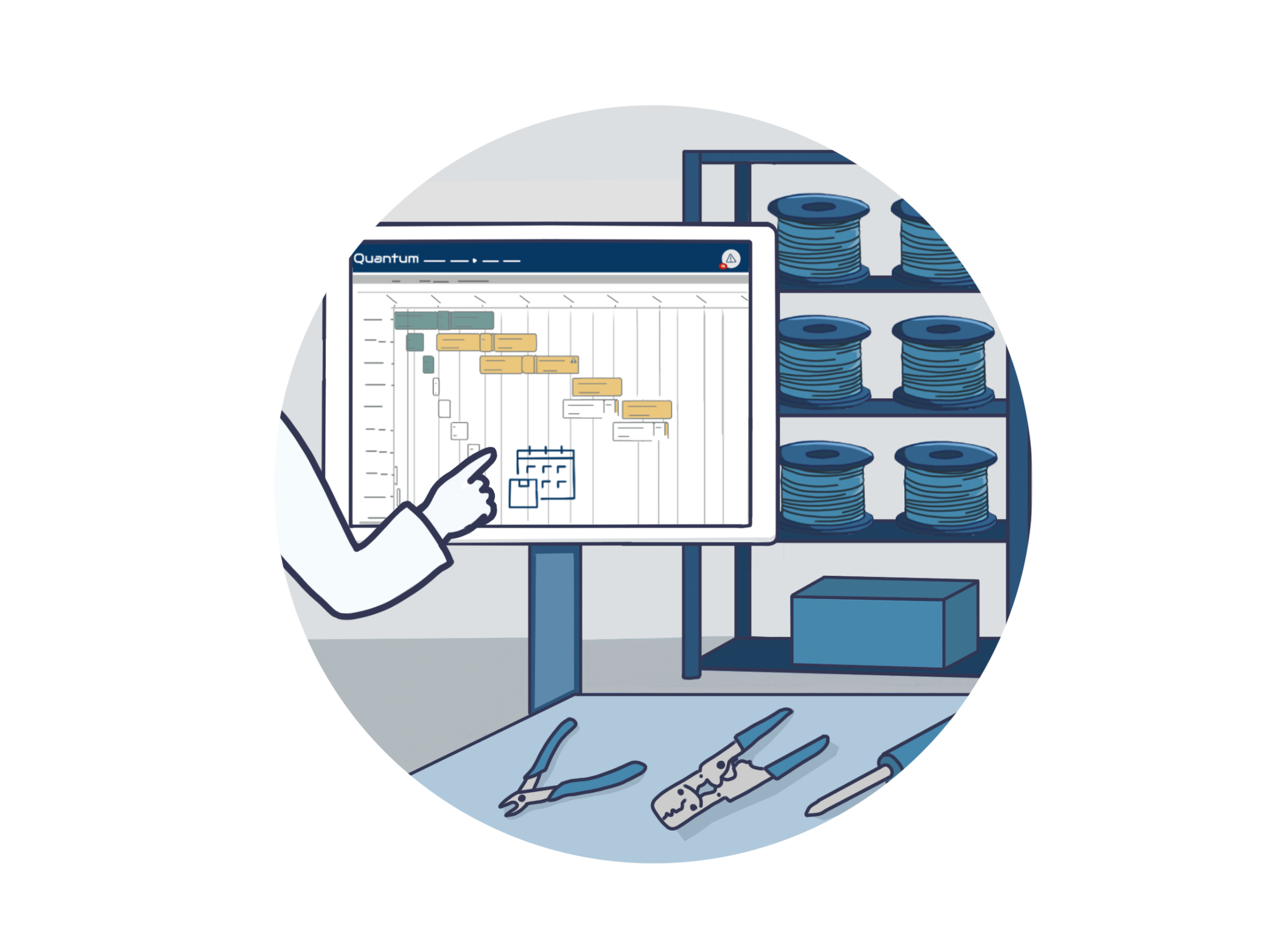
Quantum is relevant when a manufacturer needs scheduling connected to execution rather than a stand-alone planning calendar. Quantum production scheduling can build schedules around inventory, people, machines, and other available assets, evaluate the impact of resource changes, run loading simulations, and update schedules from live production feedback. Its schedule management overview also describes workload visibility across machines, employees, and work centers, plus schedule-adherence and resource-utilization analytics.
That does not mean every shop needs MES first. If due dates, routings, calendars, and material records are unreliable, establish ownership and clean the critical data while evaluating software. The best system will expose bad assumptions faster, but people still need a process for resolving them.
a practical rollout for small and midsize manufacturers
Avoid trying to model the entire plant at full detail on day one. Use a constrained pilot that produces a visible operating result.
Stage 1: define the problem. Choose one product family, value stream, or delivery constraint. Baseline on-time delivery, schedule adherence, WIP, and expedite frequency.
Stage 2: establish the minimum data. Validate open demand, routings, calendars, actual rates, alternate resources, and material readiness for the pilot.
Stage 3: run finite scheduling at the constraint. Build a feasible sequence, review it with supervisors, and publish one dispatch list. Log every override and its reason.
Stage 4: connect execution feedback. Capture actual progress and exceptions frequently enough to keep remaining capacity and completion risk current.
Stage 5: expand by evidence. Add resources, constraints, and automation where the pilot shows a measurable need. Do not add detail merely because the software allows it.
common manufacturing scheduling mistakes
Scheduling to 100 percent of theoretical time. This leaves no allowance for known losses, variation, or urgent recovery work.
Treating every machine as the constraint. Excess detail slows maintenance and hides the few resources that truly govern delivery.
Ignoring labor and skills. An open machine slot is not capacity if no qualified person can run or inspect the work.
Releasing work to make every department busy. This can increase WIP and queue time without improving shipments.
Optimizing setups without considering due dates. Long campaigns may reduce changeovers while causing mixed-demand orders to wait.
Rescheduling the whole plant for every exception. Frequent churn destroys trust and creates more execution errors.
Measuring the plan but not the assumptions. Run-time accuracy, routing quality, completion reporting, and material readiness determine whether the next schedule improves.
realistic scheduling checklist
□ One current demand list distinguishes firm commitments from forecasts.
□ Priority rules are documented, and one role owns overrides.
□ Critical routings, revisions, setup times, and run rates are validated.
□ Calendars reflect shifts, maintenance, holidays, overtime, and known labor limits.
□ The true bottleneck and important supporting constraints are scheduled finitely.
□ Material, tooling, skills, quality, and outside processing affect readiness.
□ No resource has overlapping work inside the executable horizon.
□ Buffers are explicit and based on variability, not hidden padding.
□ The floor receives a controlled dispatch list with current readiness and status.
□ Rescheduling triggers, frozen windows, and decision rights are clear.
□ Actual progress and exceptions return quickly enough to update the plan.
□ Metrics track delivery, adherence, stability, flow, constraint loss, and data accuracy.
the schedule should tell the truth
A realistic manufacturing schedule is not the one with the most detail or the highest apparent utilization. It is the one the plant can execute with the resources, materials, and information actually available. When capacity is short, it shows the conflict early enough to make a decision. When conditions change, it shows which commitments are affected and why.
Start with honest calendars, demonstrated rates, valid routings, and a clear priority rule. Constrain the resources that determine delivery. Release only executable work, capture actual progress, and improve the schedule from the reasons it misses.
If your team is ready to connect capacity-aware scheduling with live production status, explore Quantum production scheduling or contact the CIMx team to discuss how your current ERP, spreadsheets, and shop-floor processes could work together. The conversation can begin with one constraint and one scheduling problem rather than a plant-wide replacement.
You might also like: Top 8 QuickBooks Manufacturing Add-Ons for 2026









 Kristin McLane : June 10, 2026 at 10:00 AM